


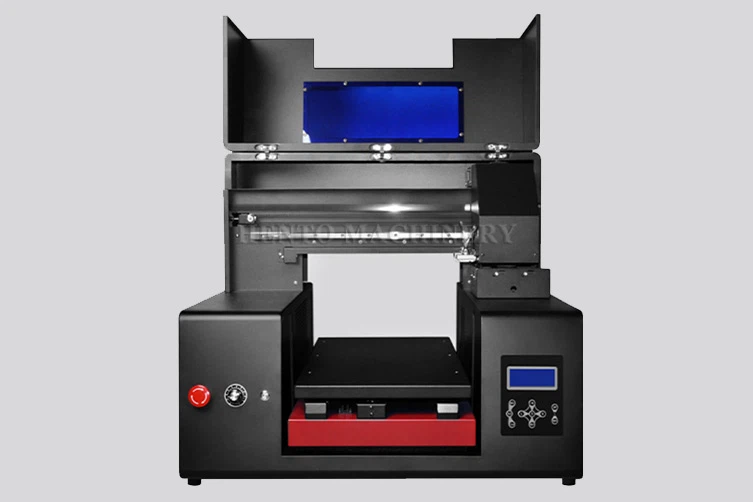
What is cake printer machine?
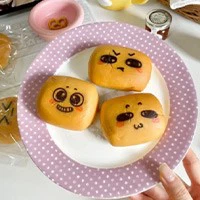
Cake printer machine can print on cakes and other foods, including cakes, coffee, lollipops, cookies, macarons, and more. Use UV printing technology to print digital images, text, and graphics on the surface of cakes. Infrared automatic height measurement, collision avoidance system, protects the nozzle from collision.
Easy to operate, the computer is directly connected to the printer, and users can obtain beautiful and realistic images on the cake without any professional skills.It is not easy to clog, easy to print, and adds visual color creativity to your cake!
Placement guidance
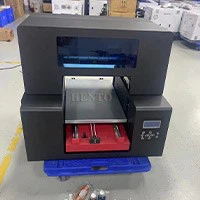

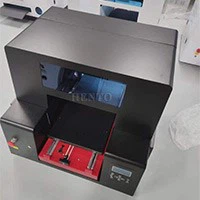
Placement guidance
1:Please install the printer onto a bracket, etc. The installation location must meet the following conditions
1.1:The size should match the spacing between the machine feet and the rubber feet of the machine
1.2:The height of the table is 70-80cm
1.3:At least 30/35cm distance needs to be left in front/behind ZZ1/ZZ2 for platform movement, and 30/60cm distance needs to be left in front/behind 6060/6090 for platform movement.
2:Place the printer in an environment that meets the following specifications
2.1:A flat position that is not subject to vibration and has sufficient space
2.2:Only use power sockets that meet the product's power requirements
2.3:Environmental conditions: 20-28℃(68-82℉) HR40-60%
2.4:To maintain humidity, do not place the printer in direct sunlight, outdoors, or in areas where the air outlet can directly face it.
Operation and usage
1.Open the packaging and check if the cake printer machine is damaged, and check if the spare parts are complete.
2.Install software. Find the decompression file on the USB drive and install it.
3.Connect the computer. Enter network connection, change settings, and connect to the computer.
4.Check the printing nozzle.
5.Color block printing.
6.Change the printing position.
7.Normal printing.
Maintenance
Daily maintenance (daily maintenance videos can be found on the USB drive).
Shake the ink, clean the nozzle, check the nozzle detection.
Clean the blade and ink pad.
Please wipe the residual ink on the nozzle with a dust-free cloth or a lint free tissue.
When not printing, ensure that the font is in its original position and kept moist to prevent ink from drying out and causing blockages, as shown in the figure.
Weekly maintenance (weekly maintenance videos can be found on the USB drive).
Cleaning the grating strip.
Cleaning UV lamp table.
Monthly maintenance (monthly maintenance videos can be found on the USB drive).
Regularly lubricate the guide rails of the printer to prevent obstruction of the carriage movement. There are three guide rails that require regular oiling.
Troubleshooting


1. The software cannot be opened.
If the pop-up window proves that the necessary framework for software to run is missing on your computer. Find the USB flash drive and insert it into the computer. Go to the folder "Common File Solution Files" and find (Microsoft C++. exe) inside. Double click to install. After installation, run the printing software again as an administrator.
2. The printed ink is wet.
2.1 Please check if the UV lamp is turned on first. If not, press the UV lamp switch button as shown in the picture.
2.2 If the UV lamp is flashing, it indicates that there is a problem with the UV lamp. Please replace the UV lamp in a timely manner to solve the problem.
2.3 You can try using a UV lamp transformer to increase the power of the UV lamp to solve this problem.
3. How to calibrate the nozzle spacing (this setting is only applicable to machines with two or more heads).
You can see that the white color in the image on the right is misaligned, and there is a deviation of about 1-2mm between the printing positions of white ink and color ink. At this point, we need to calibrate the printing position of the dual head. In the reset, we can only change the printing position of white ink, so we need to use the color position as the reference. If the white color is slightly to the right, we need to move it slightly to the left. Firstly, open the PrintEXP software, then locate the calibration point and click on the nozzle spacing on the left side of the interface.
Do you want one?
You may also like to get one cake printer machine, same as your family and friend, then you sure need one, please feel free to contact us, we will supply best price for you, and teach you how to use it.
We are here waiting for you!


